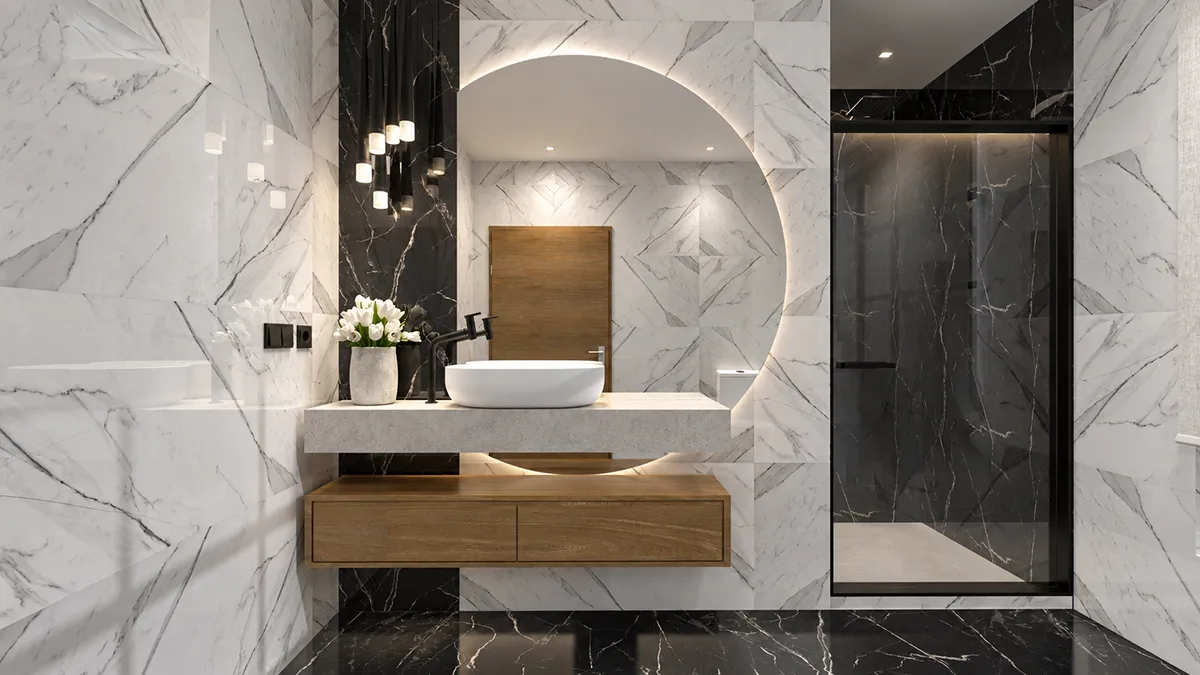
There is a particularly curious moment when you work with AI-generated imagery: everything you once built up gradually in your mind before translating it into CAD drawings and plans can now be described directly to an artificial intelligence. You can tell it where each piece of furniture goes, which materials you have chosen, the dimensions of the room and, above all, where the light comes from.
And just a few seconds later, it gives you something that, at first glance at least, looks remarkably like a photograph of what you had imagined.
The wood has texture, daylight filters softly through the window, the fabrics gain volume, and even the smallest shadows and reflections begin to appear. Our brains stop reading it as a 3D model and start seeing it as a real room.
My first instinct is to say yes. But there is a rather big “however” attached.
Let me explain.
I don't think artificial intelligence is making these tools disappear. Rather, it is changing the way we use them.
Until quite recently, we started by building the space in three dimensions: walls, windows, floors, furniture, wall coverings… Then came the materials, the lighting and, finally, the render.
And depending on the quality you needed to deliver to a client, that last stage could take hours or even… all night. Remember those days? 😂
You would leave the computer rendering overnight, only to discover the following morning that a texture had reacted badly to the lighting, something was far too shiny or a shadow hadn't turned out as expected. So you started again: several more hours.
The results could be extraordinary, of course. But behind one apparently simple image there could be an enormous amount of work.
And then artificial intelligence arrived
And changed the rules of the game quite considerably.
Today, we can take a fairly basic image and ask for something like this:
And something rather remarkable happens.
A visualisation that still looked a little digital begins to take on qualities we almost automatically associate with photography. The curtain no longer looks flat, the sofa develops tiny irregularities, light stops falling so evenly, secondary shadows appear, and surfaces react more naturally. Suddenly, the room has an atmosphere of its own.
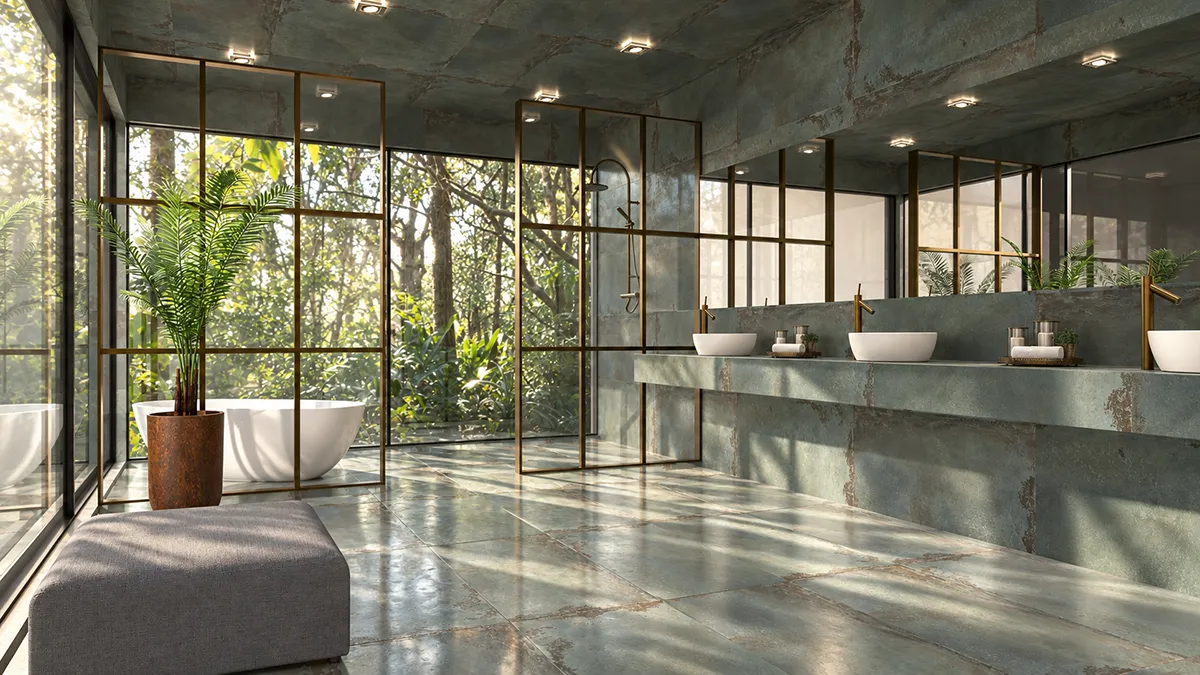
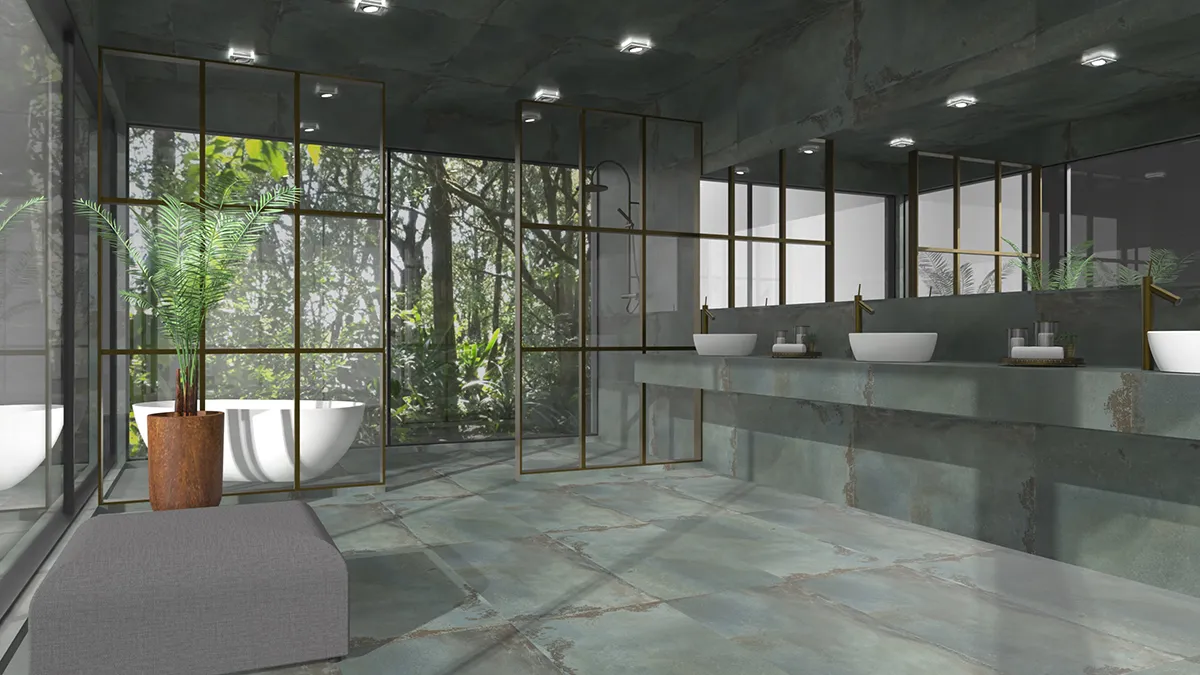
The geometry is still recognisable, but the light, shadows, reflections and the way we perceive the materials completely change how the space feels.
And this is where the big “however” comes in.
Creating a spectacular image with AI does not necessarily mean that the image is faithful to the project we designed. Artificial intelligence interprets what it sees and, although it is getting better at it, it sometimes takes a few creative liberties.
It may subtly change a texture, alter a reflection, move an object, modify a grout joint or decide that the lamp would look much better a few centimetres to the right. Visually, the result may be wonderful, but we know that it wasn't quite the same lamp, it wasn't quite the same tile, or it wasn't the layout we had actually designed.
And that, I think, is one of the main differences between making a beautiful picture and creating a good visualisation of a project.
When we are exploring an idea, there is so much more room to play. We can experiment, exaggerate, change the atmosphere and let ourselves be surprised. But when we are showing a client what their future space could look like, we need to know exactly which parts truly belong to the design and which parts are AI interpretations.
That is precisely why I think software such as pCon.planner still makes a great deal of sense.
So… pCon or artificial intelligence?
Quite frankly, I don't think we have to choose any more.
pCon still does something essential: it builds the space accurately. The measurements are fixed, the layout is defined, the furniture has specific dimensions, the walls are where they should be, and we can work with real products, materials and components.
To put it simply, it is the skeleton of the project. AI comes afterwards and does something different: it gives that skeleton a skin. It adds light, atmosphere, depth, subtle imperfections, shadows and texture. All the things that mean a client no longer has to work quite so hard to imagine what the space might look like.
They can simply begin to see it.
Interestingly, pCon itself has understood very well where all this is heading. With pCon.planner 8.15, the software now includes AI rendering tools within its own environment. This means we can start with a view or render and use AI to work on lighting, materials, atmosphere and the image's final realism. I haven't tried this version myself yet, but it is on my list 😊
So that supposed battle between “traditional software versus artificial intelligence” seems to have been rather short-lived. 😂 In the end, the two worlds are beginning to merge.
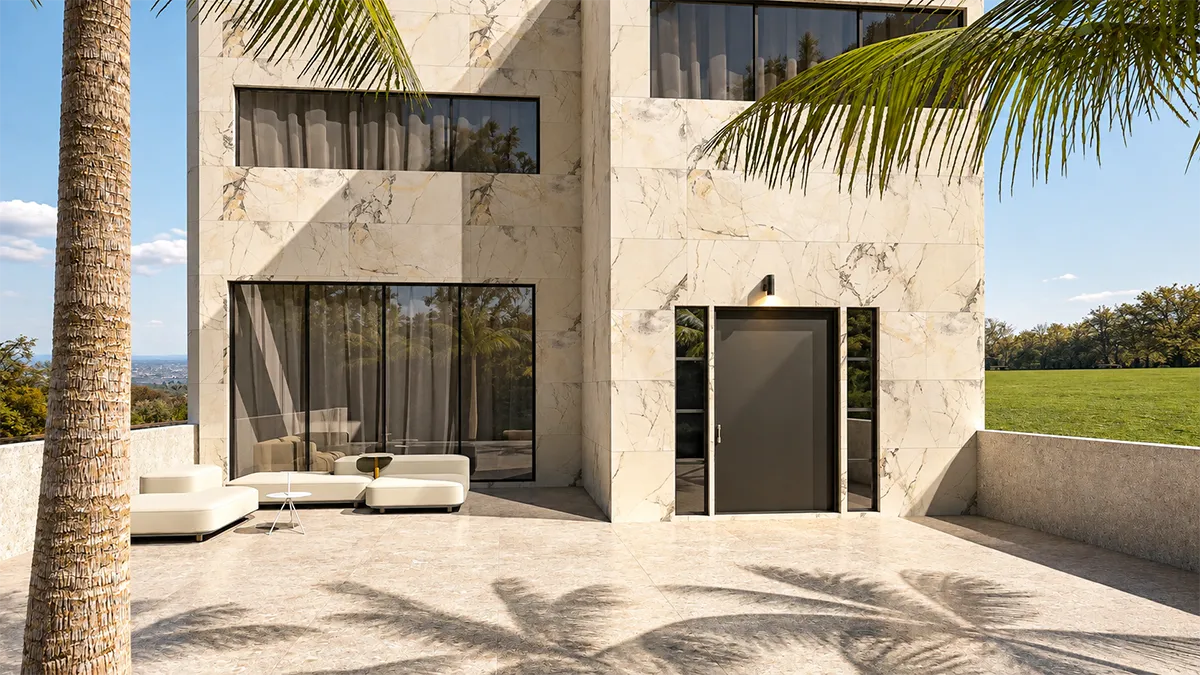
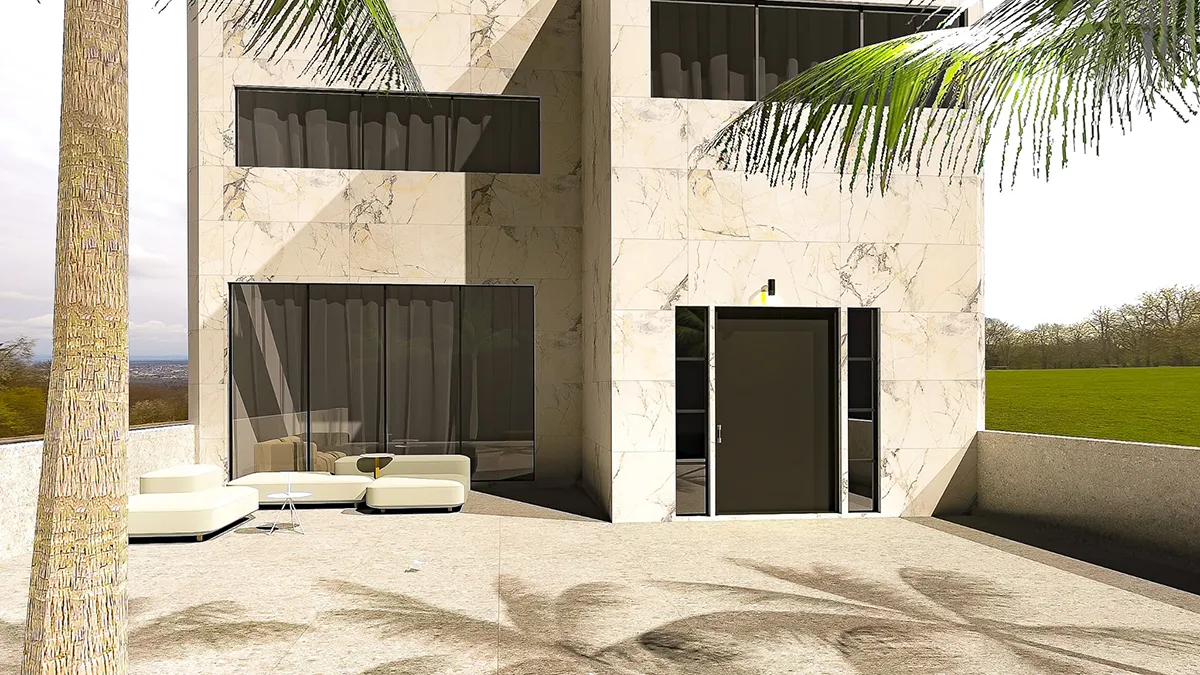
The architecture and composition come from the project; AI changes how we perceive them visually, through light and a more photographic feel.
It is even changing how we add objects to a project
And here is another change that, personally, I find enormous.
Before AI, if you wanted to include a particular chair, lamp, table or other object in a render, ideally you needed its 3D file. If the manufacturer didn't provide one, the search began. And if you couldn't find it anywhere, you had to try to model it yourself.
Those of us who have worked this way know that recreating an object faithfully without a 3D model could easily turn into a small odyssey.
Now, though, the situation is very different. In many cases, we can take a simple photograph of the object, use it as a reference and ask AI to respect its shape, materials, finishes and overall appearance when placing it visually in the scene.
Of course, we are not talking about a photograph magically becoming a precise, fully dimensioned technical 3D model. Those are two different things. But when what we need is a visualisation, this approach can save us an enormous amount of work.
It is one of those changes that can seem small until you remember the hours you once spent searching desperately for that one 3D model which, naturally, was nowhere to be found.
What is really changing is the way we work
For me, this is probably the most interesting part of all.
We used to spend a great deal of time working out how to produce a particular image technically. Now we can devote more of that time to deciding how we want the space to look and, above all, how we want it to feel.
We can try soft morning light and, a few minutes later, see how the same scene changes in the warm glow of late afternoon. We can give a space a more Mediterranean, minimalist or understated feel, add plants, remove decorative objects and compare alternatives. All without spending hours rebuilding the entire scene each time we want to test an idea.
From a creative point of view, I find that extraordinary. We are no longer just talking about producing renders faster: we are talking about being able to explore so much more.
And when experimentation no longer costs us so many hours, we also begin to try options we might previously have dismissed simply because of the time required to develop them.
But there is a catch: not everything goes
There is one thing I always try to keep in mind when working with AI-generated or AI-enhanced images: not to let myself be fooled by how beautiful the result looks.
Because, let's face it, AI brings gorgeous light through the window, produces incredible shadows, adds depth and makes the fabrics look completely real. And for a few seconds, all you can think is: Wow…
But then you have to move a little closer and look again.
Has it actually kept the original wall covering?
Has the colour changed?
Are the joints still the same?
Has it altered any furniture?
Has it added something that wasn't there?
Are the proportions still correct?
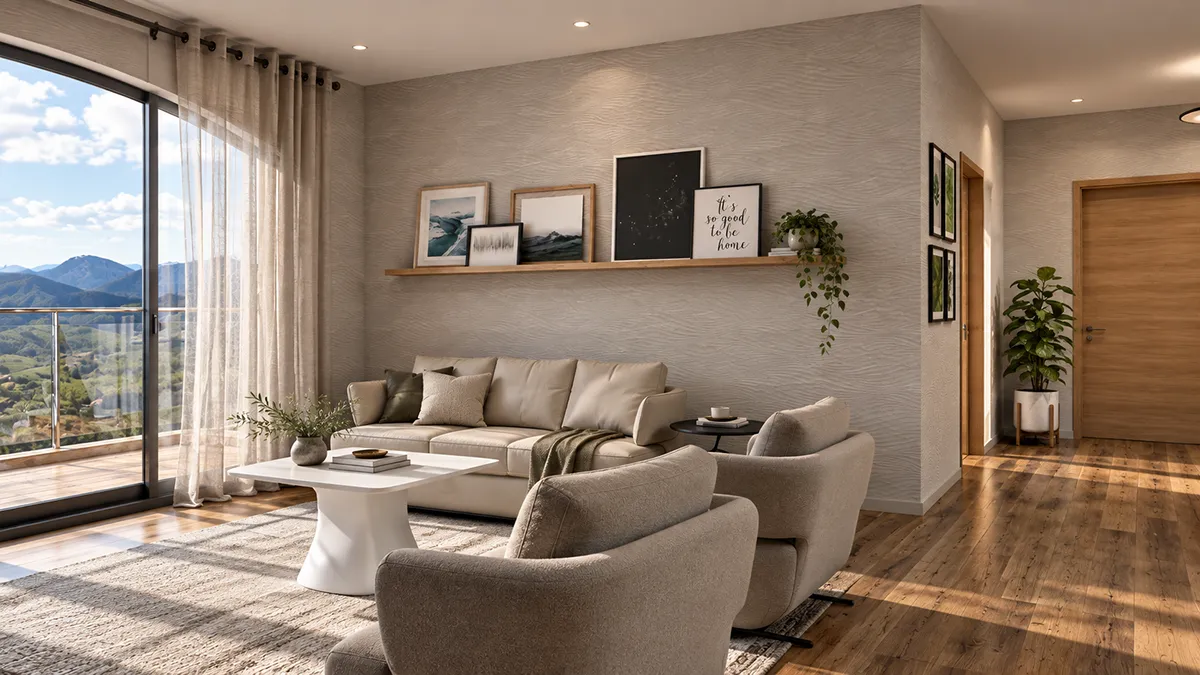
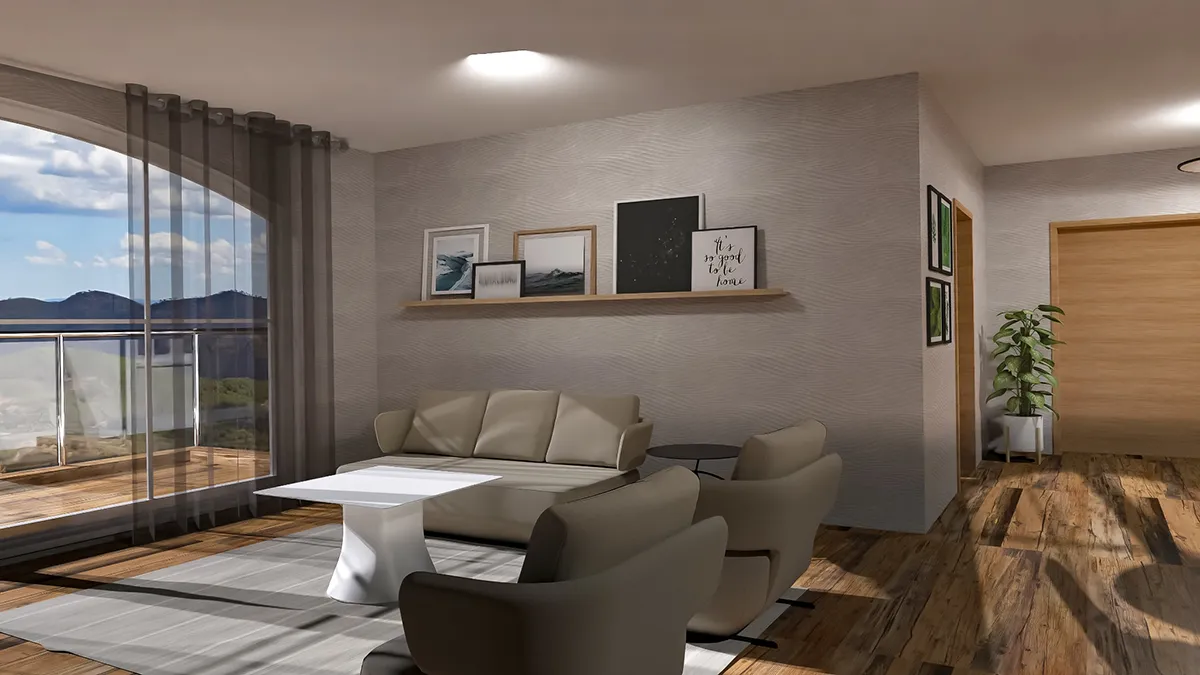
The comparison is not just about admiring the result: it also makes us check what AI has preserved and what it has reinterpreted.
Using artificial intelligence to make a presentation more engaging, evocative and realistic is one thing. Letting it quietly redesign the project without our noticing is quite another.
I think the right balance lies precisely there: not in replacing one approach with the other, but in combining the accuracy of traditional tools with the extraordinary visual possibilities of artificial intelligence.
So where do we go from here?
Probably towards an increasingly hybrid way of working.
We will continue to design and model spaces using tools that give us proper control over measurements, geometry, products and layouts. Then we will use AI to help us visualise, experiment with and present those spaces in a way that feels much closer to reality.
And for me, that last word may be the most important of all.
We review.
Less time waiting for a render, more time designing
When I think back to those nights spent leaving the computer rendering, only to discover the next morning that something had gone wrong, I honestly don't miss them much. 😂
But I don't think everything we learned from traditional software has suddenly become irrelevant. Quite the opposite.
Understanding light, materials, proportions, cameras and composition helps us give AI better instructions about what we want to achieve — and, above all, recognise when something isn't right.
That is why I don't think we are witnessing the end of traditional rendering. I think we are simply entering another phase, one in which tools such as pCon.planner and artificial intelligence do not need to compete but can complement each other.
And, at least from my own experience, one thing is quite clear:
if AI means we spend fewer hours watching a rendering progress bar and more time imagining, experimenting and designing better spaces… then I'm all for it.
What do you think? Do you miss those long rendering times, or have you started using AI in your own design projects too?
THE CONVERSATION
The conversation continues.
A story continues with what you have to say. Comment on the article as a whole here; remarks on photographs belong in “A Second Look”.
No general comments yet. Start the conversation.